Top 10 Game-Changing AI Tools to Use in 2026 for Smarter Work
- Posted by 3.0 University
- Categories Artificial Intelligence
- Date July 9, 2025
- Comments 0 comment
Best AI Tools for Work in 2026: Expert-Picked Top 10 You Can’t Ignore
The Workplace Has Changed. Have You?
Let’s be honest the way we work in 2026 looks nothing like it did five years ago.
Meetings are auto summarised. Emails write themselves. Code gets reviewed by a digital co-pilot. Reports that used to take hours are ready in minutes.
And yet, most professionals are only scratching the surface of what AI can actually do for them. Whether you’re a business owner, a marketing manager, a developer, or a cybersecurity analyst the right AI tools aren’t just nice-to-haves anymore. They’re career-defining.
In this guide, we break down the 10 best AI tools changing the workplace in 2026, what makes each one worth your time, and how to start using them today.
What Are AI Tools for the Workplace?
AI tools for the workplace are software platforms powered by machine learning, natural language processing, and generative AI. They’re designed to help professionals work faster, make smarter decisions, and automate repetitive tasks without replacing the human judgment that still matters most.
In 2026, these tools span everything from writing assistants and meeting recorders to code generators and cybersecurity systems. The best ones don’t just save time. They change how you think about work.
Why AI in the Workplace Matters More Than Ever in 2026
The numbers tell a clear story:
- 3 out of 4 knowledge workers are now using AI at work
- 93% of AI power users say it boosts their productivity
- 60–70% of current work tasks are automatable with existing technology (McKinsey)
- Workers using AI daily report 81% higher job satisfaction (Salesforce)
- 96% of workers say AI helped them complete tasks they previously lacked the skills for (Salesforce)
This isn’t a future trend. It’s the present reality. Companies that adopt AI are seeing lower costs, faster execution, and better decision-making across every department. Those that don’t are already falling behind.
The bigger question is: which tools should you actually invest in?
The Top 10 AI Tools Changing the Workplace in 2026
1. ChatGPT (OpenAI): The All-Purpose Thinking Partner
Best for: Writing, research, customer support, ideation, summarisation
ChatGPT remains the most widely used AI tool on the planet and for good reason.
In 2026, it’s evolved far beyond a simple chatbot. With access to real-time web browsing, advanced reasoning modes, and deep integration with business workflows, ChatGPT acts like a highly capable assistant available 24/7.
Use it to:
- Draft emails, proposals, and reports in seconds
- Summarise long documents or meeting notes
- Research competitors, trends, or technical concepts
- Brainstorm marketing ideas, product names, or strategies
- Automate customer support responses
Why it matters: ChatGPT was the fastest-growing consumer application in history when it launched, and it’s only gotten more powerful. For any professional dealing with high volumes of written communication, this is tool #1.
Pricing: Free tier available; Plus, plan at $20/month; Team and Enterprise plans available.
2. Microsoft 365 Copilot: AI Built into Your Daily Workflow
Best for: Enterprise productivity, document creation, meeting management
If your organisation already runs on Microsoft 365, Copilot is a no-brainer.
Embedded directly into Word, Excel, PowerPoint, Outlook, and Teams, Microsoft 365 Copilot transforms your existing tools into AI-powered productivity machines.
Use it to:
- Draft Word documents from a short prompt
- Analyse Excel data and generate charts automatically
- Summarise Teams meetings and extract action items
- Generate PowerPoint decks from text outlines
- Prioritise emails and draft smart replies in Outlook
Why it matters: Unlike standalone AI tools, Copilot integrates AI directly into software your team already uses meaning zero adoption friction and immediate ROI.
Pricing: $30/user/month (requires Microsoft 365 subscription)
3. Notion AI: The Smart Knowledge Hub
Best for: Project management, documentation, team knowledge bases
Notion has long been a favourite for teams managing complex projects and documentation. With Notion AI baked in, it’s become one of the most powerful knowledge management tools in any professional’s stack.
Use it to:
- Generate meeting agendas and project plans instantly
- Summarise long documents into key takeaways
- Auto-fill project databases from text descriptions
- Write and edit content inside your existing workspace
- Translate pages into multiple languages
Why it matters: In 2026, where information overload is a real productivity killer, Notion AI helps teams capture, organise, and act on knowledge faster than ever before.
Pricing: Free tier available; AI add-on at $10/member/month
4. GitHub Copilot: The Developer’s AI Co-Pilot
Best for: Software development, code generation, debugging
For developers, GitHub Copilot is arguably the most impactful AI tool since the IDE itself.
Trained on billions of lines of public code, Copilot suggests entire functions, catches bugs in real time, and helps developers write better code faster across every major programming language.
Use it to:
- Auto-complete functions and entire code blocks
- Suggest fixes for bugs as you type
- Write boilerplate code in seconds
- Navigate unfamiliar codebases more quickly
- Generate unit tests automatically
Why it matters: Studies show GitHub Copilot can increase developer productivity by up to 55% on certain tasks. For engineering teams, that’s a massive competitive advantage.
Pricing: 19/user/month for business
5. Grammarly: AI That Makes Your Writing Irreproachable
Best for: Professional writing, emails, proposals, reports
Grammarly has grown from a grammar checker into a full-blown AI writing assistant and in 2026, it’s more powerful than ever.
Beyond catching typos and grammatical errors, Grammarly now understands tone, context, and audience. It helps professionals communicate with clarity, confidence, and precision.
Use it to:
- Check grammar, spelling, and punctuation in real time
- Adjust the tone of your writing (formal, friendly, assertive)
- Rewrite sentences for clarity and impact
- Generate email drafts from brief notes
- Ensure brand consistency across team communications
Why it matters: Poor writing costs businesses credibility and time. Grammarly eliminates both problems across every platform email, Slack, Google Docs, LinkedIn, and more.
Pricing: Free tier available; Premium at $12/month; Business plan available
6. Otter.ai- Your AI Meeting Recorder and Summariser
Best for: Meetings, interviews, client calls, conference notes
If you’ve ever left a meeting unsure of who was responsible for what Otter.ai solves that problem permanently.
Otter.ai transcribes, summarises, and extracts action items from any spoken conversation in real time, integrating directly with Zoom, Google Meet, and Microsoft Teams.
Use it to:
- Generate automatic meeting transcripts
- Identify action items and assign owners instantly
- Search meeting history by keyword
- Share meeting summaries with absent team members
- Record and analyse client calls for follow-up
Why it matters: The average professional spends over 30 hours per month in meetings. Otter.ai turns every one of those hours into structured, searchable, actionable documentation.
Pricing: Free tier (300 monthly transcription minutes); Pro at $10/month
7. Zapier- The AI Automation Engine
Best for: Workflow automation, app integration, eliminating manual tasks
If you want to connect your AI tools into a cohesive, automated system Zapier is the glue.
In 2026, with over 7,000+ app integrations and built-in AI capabilities, Zapier acts as your productivity control centre automating multi-step workflows that would otherwise require manual handling across a dozen different tools.
Use it to:
- Automatically send meeting summaries to Slack or email
- Trigger CRM updates when a lead fills out a form
- Route incoming emails to the right team members
- Generate AI-written responses to customer inquiries
- Connect ChatGPT, Notion, Gmail, and more into a single workflow
Why it matters: The real productivity gains from AI come when tools work together. Zapier makes that possible without writing a single line of code.
Pricing: Free tier available; Professional plans from $19.99/month
8. Gemini (Google)- The AI Supercharged Inside Google Workspace
Best for: Google Workspace users, research, coding, image generation
Google’s Gemini has quickly become one of the most capable AI platforms available and in 2026, it’s rated by tech.co as the best overall AI tool for businesses thanks to its coding ability, image generation, and deep integration with Google Workspace.
Use it to:
- Draft and summarise documents in Google Docs
- Analyse spreadsheet data in Google Sheets
- Generate presentations in Google Slides from prompts
- Research topics with access to real-time web information
- Write and debug code with top-tier accuracy
Why it matters: For the hundreds of millions of professionals working in Google’s ecosystem, Gemini makes every app smarter without adding new tools to learn.
Pricing: Free tier available; Gemini Advanced at $19.99/month (one month free)
9. Reclaim.ai – The AI That Defends Your Time
Best for: Calendar management, scheduling, deep work protection
One of the most underrated AI productivity tools of 2026, Reclaim.ai addresses something no other tool does well: protecting your time.
It automatically manages your calendar scheduling focus blocks, habits, and meetings around your priorities so you spend less time on “calendar Tetris” and more time on what actually matters.
Use it to:
- Automatically schedule deep work blocks around meetings
- Protect time for habits like exercise, breaks, or learning
- Reschedule tasks intelligently when meetings conflict
- Sync priorities with your team’s availability
- Reduce context-switching by batching similar tasks
Why it matters: Research shows that poor scheduling costs knowledge workers 2–3 hours per week. Reclaim.ai reclaims that time automatically.
Pricing: Free tier available; Starter at $8/user/month
10. Darktrace – AI That Protects the Modern Workplace
Best for: Cybersecurity, threat detection, autonomous response
No list of AI tools changing the workplace in 2026 is complete without addressing security.
Darktrace is an enterprise AI cybersecurity platform that uses machine learning to detect, analyse, and autonomously respond to cyber threats in real time, before human analysts can even react.
Use it to:
- Detect unusual network behaviour that indicates a breach
- Autonomously neutralise threats without human intervention
- Monitor cloud environments, email, and endpoint devices
- Generate detailed incident reports for compliance
- Protect remote and hybrid workforces at scale
Why it matters: As AI becomes embedded in every part of the organisation, so does the attack surface. Darktrace uses AI to fight AI-powered threats a capability no human team alone can match.
Pricing: Enterprise pricing (contact for quote); designed for mid-to-large organisations
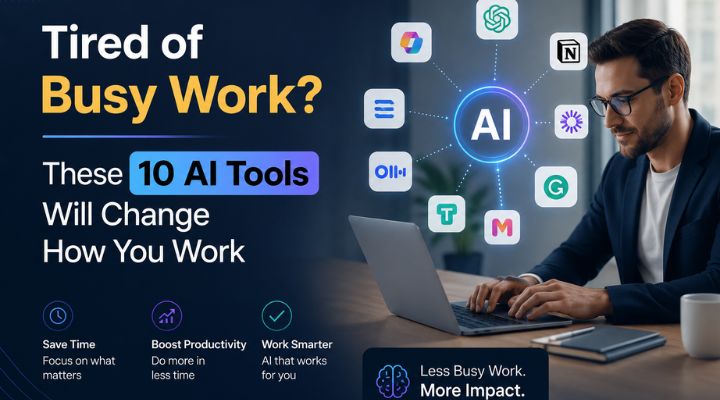
Image1. A modern workspace integrating artificial intelligence and data visualization.
AI Tools for Work Automation: Enhancing Efficiency in the Workplace
It’s, most certainly, evident that AI is colossally impacting on the way workplaces are automated, with a robust and immense concentration on making things operate better and getting more done.
AI technologies accomplish more than just simple jobs. They also employ data analysis and machine learning to make things work better.
This means that people make fewer mistakes and firms can focus their resources on more critical tactics.
For instance, AI/ML is becoming known as a very important technology that is superior than older tools since it can be utilised in many ways and is very effective. This is because businesses have changed what was important to them from 2019 to 2025, as noted in [cited].
AI also helps people work together by giving them access to real-time data so they may make decisions based on it.
This transformation not only makes things work better, but it also creates new cybersecurity employment since companies need people who can defend these complicated systems.
The best AI tools in 2026 will probably keep transforming how firms function, which shows how AI is affecting the way people work.
Statistic | Value | Source |
Percentage of work tasks automatable with current technology | 60% to 70% | McKinsey |
Average increase in worker productivity with AI assistance | 15% | Generative AI at Work study |
Percentage of workers reporting improved work quality with AI assistance | 70% | Generative AI Use in US Public Sector survey |
Percentage of workers using AI to complete tasks for which they lacked skills | 96% | Salesforce report |
Percentage of workers experiencing increased job satisfaction with daily AI use | 81% | Salesforce report |
Impact of AI Tools on Workplace Efficiency
The Role of AI Tools in Cybersecurity Careers: Safeguarding the Future
People who work in the field are very interested in how artificial intelligence (AI) and cybersecurity may work together as technology moves very swiftly.
As cyber threats get more complex, adopting AI isn’t only about making it easier to discover problems; it’s also about making security procedures as a whole stronger.
These kinds of solutions make it easy to automatically look at a lot of data. This helps cybersecurity experts find holes and respond to situations more quickly.
Also, as AI gets better, it will be able to predict and stop prospective breaches, which will affect the skills needed for cybersecurity employment. Being good at AI-driven solutions will become more important.
For instance, systems that use machine learning algorithms can adapt to new threats, which is why they will be some of the best AI tools for keeping vital information safe in 2026.
This enormous effect of AI is very crucial for shaping what cybersecurity professions will be like in the future, because professionals now need to know how to use these new technologies to protect businesses. [image reference].

The figure shows how big of an impact artificial intelligence (AI) has on cybersecurity. A large number of cybersecurity experts believe in AI’s functions in different areas.
For example, 88% think it will have an impact on security in the future, and 87% think it will improve security automation. Also, 78% of businesses utilise AI to find threats, and 72% think it will lead to new employment openings. Only 65% of people, nevertheless, think AI is necessary for responding to threats in real time. This information shows how AI is becoming more and more important in making decisions about cybersecurity and jobs. [Get the chart] (sandbox:/mnt/data/cybersecurity_ai_integration_chart.png)
How AI Tools Are Changing Workplace Roles
AI doesn’t just change what you do it changes what skills matter.
Across every industry, professionals who understand how to work with AI are commanding more responsibility, higher pay, and greater career mobility.
Here’s what’s shifting:
Roles being augmented by AI:
- Marketing managers using AI for content creation and analytics
- Developers using AI pair-programmers to ship faster
- HR teams using AI to screen candidates and automate onboarding
- Analysts using AI to interpret data in seconds, not days
- Customer support teams using AI to handle volume without headcount
New roles emerging because of AI:
- AI Prompt Engineers
- AI Security Analysts
- AI Program Managers
- Responsible AI Governance Specialists
- Agentic Workflow Architects
The professionals who thrive in this era won’t be the ones who resist AI they’ll be the ones who know how to direct it.
Key Challenges to Adopting AI Tools at Work
AI adoption isn’t without friction.
Here are the real challenges organisations face in 2026:
1. Integration complexity
78% of enterprises report struggling to integrate AI with their existing tech stacks. Choosing tools that play well together (like Zapier as a connector) reduces this friction.
2. Data privacy concerns
AI tools that process sensitive business data require clear privacy policies and enterprise-grade security. Always evaluate vendor data handling before adoption.
3. Skill gaps
AI tools are only as effective as the people using them. Organisations that invest in upskilling their teams see dramatically better results than those that simply buy subscriptions.
4. Over-reliance on AI output
AI tools can be wrong. Professionals who review, refine, and apply judgment to AI outputs consistently outperform those who treat AI as infallible.
5. Change management
Teams resist new tools when they don’t understand the value. Leadership that communicates why AI tools matter not just how to use them drives far higher adoption rates.
The Future of AI in the Workplace: What’s Coming Next
Looking beyond today’s tools, here’s what’s shaping the workplace in the near future:
AI Agents: Tools that don’t just respond to prompts they take independent action. Expect AI agents to handle entire workflows, from research to execution, with minimal human input.
Personalised AI Assistants: Tools that learn your specific working style, communication preferences, and priorities becoming genuinely personalised to each individual.
AI-Augmented Decision-Making: Real-time AI analysis embedded into every strategic decision from hiring to product development to financial planning.
Autonomous Cybersecurity: AI systems that don’t just detect threats but predict and prevent them before they occur running 24/7 with no human fatigue.
The organisations and professionals preparing for this shift today will lead the next decade.

Frequently Asked Questions (FAQs)
Q1: What are the best AI tools for workplace productivity in 2026?
The top AI tools for workplace productivity in 2026 include ChatGPT, Microsoft 365 Copilot, Notion AI, GitHub Copilot, Grammarly, Otter.ai, Zapier, Gemini, Reclaim.ai, and Darktrace. The best choice depends on your role, industry, and specific productivity challenges.
Q2: How is AI changing the workplace in 2026?
AI is automating repetitive tasks, enhancing decision-making with real-time data, improving communication quality, protecting organisations from cyber threats, and creating entirely new professional roles. Three out of four knowledge workers now use AI tools regularly.
Q3: Are AI tools safe to use for business data?
Most leading AI tools offer enterprise-grade security and data privacy protections. However, it’s critical to review each vendor’s data handling policies especially for tools processing sensitive client or financial data.
Q4: Do I need technical skills to use AI tools at work?
No. Most AI productivity tools are designed for non-technical users and require no coding knowledge. That said, understanding how to write effective prompts and interpret AI outputs will significantly improve your results.
Q5: How much do AI workplace tools cost?
Most leading AI tools offer free tiers or entry-level plans between 30 per month. Enterprise plans with advanced features typically cost more. Most professionals find that even a modest investment in AI tools saves 10–20 hours per month.
Q6: Which AI tools are best for cybersecurity professionals?
AI tools like Darktrace, Microsoft Security Copilot, and IBM Watson are particularly valuable for cybersecurity teams. They offer real-time threat detection, automated incident response, and predictive threat modelling capabilities that are increasingly essential as cyber threats grow more sophisticated.
Q7: Will AI tools replace jobs in the workplace?
AI is more likely to transform jobs than eliminate them. It automates repetitive tasks while augmenting human judgment, creativity, and strategic thinking. Professionals who learn to work effectively with AI will be more valuable not less.
Conclusion: The Competitive Edge Is Already Available
The AI tools reshaping work in 2026 aren’t experimental. They’re production-ready, widely adopted, and delivering measurable results for businesses and professionals around the world.
The only question is whether you’ll use them to your advantage or watch others do it first.
Start with one tool that addresses your biggest time sink. Master it. Then build your stack deliberately.
Ready to Build Your AI Skillset?
Using AI tools is one thing. Understanding how to apply them strategically across cybersecurity, blockchain, and intelligent systems is what separates professionals who adapt from those who lead.
3.0 University offers industry-recognised programs in AI, Cybersecurity, and Web3 built for professionals who want more than a subscription.
Explore courses like:
- Certified AI Program Manager
- Certified Ethical Hacker v13
- Certified Offensive AI Security Professional
- Artificial Intelligence Essentials

You may also like